Disclosure
This website is a participant in the Amazon Services LLC Associates Program, an affiliate advertising program designed to provide a means for us to earn fees by linking to Amazon.com and affiliated sites.
Yes, you can add inline skating to your Garmin device—but it requires a few extra steps. Garmin supports numerous activities, yet inline skating isn’t always preloaded. Don’t worry; we’ll guide you through the process.
Many fitness enthusiasts assume all sports are automatically available. However, niche activities like inline skating may need manual setup. This oversight can frustrate users who want precise tracking.
Best Garmin Devices for Inline Skating
Garmin Forerunner 945
The Garmin Forerunner 945 is ideal for inline skaters thanks to its advanced GPS tracking, heart rate monitoring, and multi-sport modes. Its rugged design withstands outdoor use, while the long battery life ensures uninterrupted sessions. You can also customize activity profiles to include inline skating.
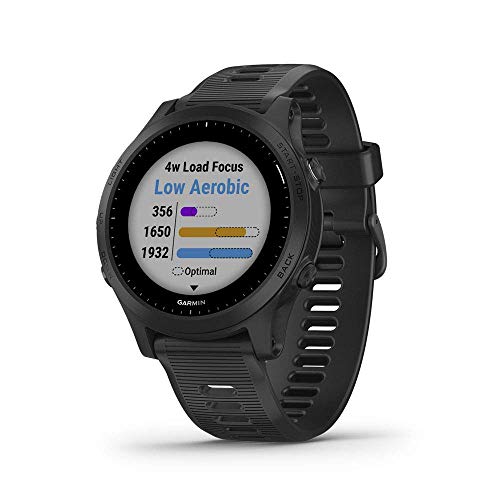
- Premium GPS running/triathlon smartwatch with music
- Battery life: Up to 2 weeks in smartwatch mode, 10 hours in GPS mode with…
- Performance monitoring features include Vo2 Max and training status with…
Garmin Venu 2
The Garmin Venu 2 combines fitness tracking with a vibrant AMOLED display, making it perfect for skaters who want real-time stats. It tracks distance, speed, and calories burned, and its lightweight design ensures comfort during long skating sessions. The built-in animations also help improve technique.
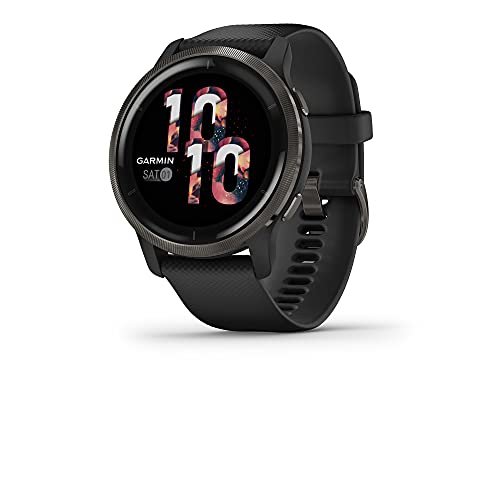
- Suit your style with a smartwatch that’s available in two colors and…
- Get an uninterrupted picture of your health with battery life of up to…
- Get up to 8 hours of battery life in GPS mode with music, plus rapid…
Garmin Fenix 7
For serious athletes, the Garmin Fenix 7 offers military-grade durability and precise tracking for inline skating. Its multi-band GPS ensures accuracy, while advanced metrics like VO2 max and recovery time help optimize performance. The extended battery life is great for endurance skaters.

- Multisport GPS watch with a 1.3” display in a resilient 47 mm…
- Scratch-resistant Power Sapphire solar charging lens uses the sun’s…
- Built-in LED flashlight with variable intensities and strobe modes gives…
How to Add Inline Skating as a Custom Activity on Your Garmin Device
Adding inline skating to your Garmin device isn’t as straightforward as selecting a preloaded activity, but it’s simple once you know the steps. Most Garmin watches categorize inline skating under “Other” sports or require manual setup. This ensures accurate tracking of metrics like speed, distance, and calories burned—critical for performance analysis.
Step-by-Step Guide to Adding Inline Skating
1. Access the Activity Menu: From your watch’s home screen, press the start/stop button to open the activity list. Scroll to the bottom and select “Add New” or “Other” (depending on your model). This creates a custom activity profile.
2. Rename the Activity: Once added, edit the name to “Inline Skating” for easy identification. Some Garmin models (like the Fenix series) allow icon customization—choose a skate or wheel icon if available.
3. Configure Data Screens: Tailor the metrics displayed during your workout. Essential data fields for inline skating include:
- Speed: Current and average pace
- Distance: Total kilometers/miles covered
- Heart Rate: Effort monitoring
- Cadence: Strokes per minute (if your watch supports it)
Why GPS Accuracy Matters for Inline Skating
Unlike running or cycling, inline skating involves rapid lateral movements that can confuse basic GPS tracking. High-end Garmin models (e.g., Forerunner 945 or Fenix 7) use GLONASS or Galileo alongside GPS for better precision. For urban skaters, enabling “UltraTrac” mode conserves battery while maintaining route accuracy.
Pro Tip: Calibrate your device’s accelerometer by skating a known distance (e.g., a 400m track) to improve distance tracking accuracy.
Troubleshooting Common Issues
If your Garmin doesn’t save inline skating sessions properly:
- Ensure the activity is saved under “Fitness” (not “Adventure” or “Water Sports”) in Garmin Connect.
- Update your device’s firmware—Garmin frequently adds new activity profiles.
- For calorie burn discrepancies, manually adjust your weight in the user profile for better MET calculations.
By customizing your Garmin for inline skating, you’ll unlock precise performance insights—whether you’re training for speed or tracking recreational fitness goals.
Optimizing Your Garmin for Advanced Inline Skating Metrics
Once you’ve added inline skating as a custom activity, optimizing your Garmin device can provide deeper performance insights. Advanced configuration helps track skating-specific metrics that standard fitness profiles might miss, giving you a competitive edge in training.
Setting Up Skating-Specific Data Fields
Garmin’s Connect IQ store offers specialized data fields perfect for inline skaters. The Inline Skating Power app calculates wattage output based on speed and incline, while Skate Cadence+ tracks leg turnover rate. To install:
- Open Garmin Connect Mobile and navigate to Connect IQ Store
- Search for “inline skating” or related terms
- Download and sync to your device
- Assign the data field to your custom activity profile
Understanding and Utilizing Advanced Metrics
Serious skaters should monitor these specialized metrics:
- Vertical Oscillation: Measures bounce in your stride (optimal range: 4-6cm)
- Ground Contact Time: Lower times indicate more efficient pushes
- Stride Length: Longer strides generally mean better technique
For example, a skater noticing high vertical oscillation might focus on staying lower in their stance, while someone with long ground contact times could work on quicker weight transfers.
Creating Custom Training Alerts
Garmin allows setting vibration alerts for specific performance markers:
- Heart rate zones (ideal for interval training)
- Target speed ranges (helpful for pace work)
- Cadence thresholds (maintain optimal stroke rate)
To set these up, navigate to your inline skating activity profile > Alerts > Add New. For marathon skaters, setting a 90-100 RPM cadence alert helps maintain efficient energy expenditure over long distances.
Syncing with Third-Party Apps for Comprehensive Analysis
Pair your Garmin with specialized skating apps like SkaterApp or RollerTracker for enhanced analytics. These platforms can:
- Break down route elevation changes and their impact on performance
- Compare left/right leg symmetry in pushes
- Track equipment wear based on mileage
Remember to enable Bluetooth syncing in Garmin Connect and grant necessary permissions for seamless data sharing between applications.
Analyzing and Interpreting Your Inline Skating Data
Properly analyzing your Garmin’s inline skating data transforms raw numbers into actionable insights. This section dives deep into performance metrics, helping you understand what they mean and how to use them for training improvements.
Understanding Key Performance Indicators
| Metric | Ideal Range | What It Reveals |
|---|---|---|
| Average Speed | 18-25 km/h (recreational) | Overall skating efficiency |
| Heart Rate Variability | 50-100ms (resting) | Recovery status and training readiness |
| Stride Balance | 48-52% per side | Weight distribution symmetry |
For example, a consistent left-side dominance in stride balance (55% left/45% right) might indicate weaker right leg pushes or improper weight transfer technique.
Advanced Data Analysis Techniques
Garmin Connect’s advanced features allow for deeper performance evaluation:
- Trend Analysis: Compare weekly/monthly metrics to track progress. Look for:
- Speed improvements at same heart rate (increased efficiency)
- Decreasing ground contact time (better technique)
- Segment Comparison: Analyze identical routes over time to measure:
- Energy expenditure changes
- Cornering efficiency
Common Data Interpretation Mistakes
Avoid these frequent analysis errors:
- Overvaluing single metrics: Heart rate alone doesn’t reflect effort – consider temperature, hydration, and sleep quality
- Ignoring environmental factors: Wind resistance can account for 15-20% speed variations on similar routes
- Misreading cadence: Higher RPM isn’t always better – optimal cadence varies by skating style (speed vs marathon)
Creating Custom Training Plans Based on Data
Use your findings to build personalized workouts:
- For endurance: Maintain 70-80% max HR for 45+ minute sessions
- For speed: 30-second sprints at 90-95% max HR with full recovery
- For technique: Drills focusing on metrics needing improvement (e.g., stride symmetry)
Professional skaters recommend reviewing data within 2 hours post-session when physiological responses are freshest in memory, allowing for more accurate training adjustments.
Advanced Training Integration and Safety Considerations
Taking your inline skating tracking to the professional level requires integrating Garmin data with structured training programs while prioritizing safety. This section explores how elite skaters leverage technology for peak performance while minimizing injury risks.
Periodization Training with Garmin Insights
Professional skaters structure their training in 4-6 week cycles, using Garmin data to:
- Base Phase: Focus on endurance metrics (maintaining 65-75% max HR for long sessions)
- Build Phase: Track interval improvements (analyzing recovery time between 400m sprints)
- Peak Phase: Monitor power output and technique efficiency
- Recovery Phase: Utilize Body Battery and stress metrics to prevent overtraining
Example: A competitive skater might program their Garmin to alert when VO2 max plateaus, signaling the need to adjust training intensity.
Equipment-Specific Tracking Techniques
Different skate setups require unique tracking approaches:
| Skate Type | Optimal Cadence | Key Metric Focus |
|---|---|---|
| Speed Skates (110mm wheels) | 85-95 RPM | Power output and glide efficiency |
| Urban Skates (80-90mm wheels) | 95-105 RPM | Agility metrics and braking frequency |
| Recreational Skates (76-80mm wheels) | 100-110 RPM | Endurance and comfort metrics |
Safety Monitoring and Risk Prevention
Garmin devices offer crucial safety features for skaters:
- Incident Detection: Enable fall detection in Garmin Connect (test on soft surface first)
- Hydration Tracking: Program fluid intake reminders based on sweat rate calculations
- Environmental Alerts: Set temperature warnings for wheel hardness changes
- Fatigue Monitoring: Use Performance Condition metric to avoid overexertion
Pro Tip: Create a safety score by combining:
- Recovery time remaining
- Local weather conditions
- Equipment mileage (via Garmin’s gear tracking)
This composite metric helps make go/no-go decisions for training sessions.
Competition Preparation Strategies
For race day optimization:
- Pre-load race routes to analyze elevation changes
- Establish pace strategy using previous interval data
- Program course-specific alerts (e.g., “500m to hill approach”)
- Sync with team members using LiveTrack for group events
Remember to disable vibration alerts during actual competitions if local rules prohibit electronic assistance.
Long-Term Performance Optimization and Future Trends
Mastering inline skating with Garmin technology requires understanding long-term data patterns and emerging innovations. This section explores how to leverage historical data for continuous improvement while preparing for future technological advancements in skating analytics.
Comprehensive Data Trend Analysis
Serious athletes should examine these critical long-term metrics:
| Time Frame | Key Metrics | Optimal Progression |
|---|---|---|
| 3 Months | VO2 Max, Lactate Threshold | 5-8% improvement |
| 6 Months | Stride Efficiency, Recovery Rate | 10-15% reduction in energy cost |
| 12 Months | Injury Frequency, Consistency | 50% fewer overuse incidents |
Example: Analyzing yearly temperature-adjusted speed data reveals optimal performance windows – many skaters peak in 15-20°C conditions.
Equipment Wear Analysis and Replacement Planning
Garmin’s gear tracking feature helps optimize equipment maintenance:
- Wheel Rotation Schedule: Program reminders based on mileage (typically 300-500km per wheel set)
- Bearing Performance: Correlate speed decreases with bearing mileage
- Boot Integrity: Track ankle support degradation through stride symmetry changes
Pro Tip: Create a custom “Equipment Efficiency” metric combining:
- Speed per heart rate effort
- Vibration data (indicating wheel wear)
- Push symmetry metrics
This composite score indicates when gear upgrades will yield maximum performance benefits.
Emerging Technologies in Skating Analytics
Future developments skaters should anticipate:
- AI-Powered Technique Analysis: Real-time form correction via connected earbuds
- Surface-Adaptive Tracking: Automatic calibration for different pavement types
- Predictive Injury Modeling: Algorithms forecasting overuse risks 3-4 weeks in advance
- Augmented Reality Routing: Projected ideal racing lines based on historical data
Forward-thinking skaters should ensure their Garmin devices support ANT+ and Bluetooth 5.2 to maintain compatibility with upcoming sensors.
Environmental and Seasonal Adjustments
Advanced skaters must account for:
- Temperature Compensation: Wheel hardness affects speed (0.5% per 5°C change)
- Altitude Adaptation: VO2 max adjustments above 1,500m elevation
- Surface Moisture: Wet pavement can increase energy expenditure by 12-18%
Garmin’s ClimbPro feature can be repurposed to analyze how different urban terrains affect skating performance across seasons.
Mastering Data Integration and Multi-Sport Cross-Training
For inline skaters committed to peak performance, integrating skating data with other training modalities creates a comprehensive fitness ecosystem. This section explores advanced data synthesis techniques and cross-training optimization using your Garmin device.
Creating a Unified Training Dashboard
Serious athletes should consolidate data from multiple disciplines:
| Complementary Activity | Key Cross-Over Metrics | Optimal Training Ratio |
|---|---|---|
| Cycling | Power output, Cadence | 1:2 (skating:cycling) |
| Strength Training | Explosive power, Core stability | 3:1 (skating:weights) |
| Yoga/Pilates | Flexibility, Balance | 5:1 (skating:flexibility) |
Example: A skater noticing 5% better uphill performance after adding cycling sessions can adjust their cross-training balance accordingly.
Advanced Data Correlation Techniques
Use Garmin Connect’s trend analysis to identify hidden relationships:
- Muscle Group Activation: Compare skating metrics with leg-focused gym sessions
- Recovery Patterns: Track how sleep quality affects skating endurance
- Nutritional Impact: Sync with food tracking apps to analyze carb-loading effects
Pro Tip: Create custom performance formulas like:
- (Skating Speed × Distance) ÷ (Resting HR × Recovery Time)
- (Vertical Oscillation + Ground Contact Time) × Temperature Factor
These composite metrics reveal insights simple data points can’t show alone.
Multi-Device Synchronization Strategies
For athletes using multiple trackers:
- Primary/Secondary Device Setup: Designate your Garmin for skating, using other devices for complementary activities
- Data Aggregation: Use platforms like TrainingPeaks to combine all metrics
- Sensor Optimization: Pair cycling power meters with skating sessions for comparative analysis
Advanced users can program IFTTT applets to automatically adjust skating training plans based on strength training performance.
Seasonal Transition Planning
For skaters adapting to winter conditions:
- Ice Skating Correlation: Compare inline and ice skating metrics using dual profiles
- Indoor Trainer Conversion: Modify roller settings for stationary skate trainers
- Off-Season Metrics: Focus on vertical jump and plyometric data during non-skating months
Remember to recalibrate all sensors when transitioning between surfaces to maintain data accuracy.
High-Performance Validation and Continuous Improvement Systems
For competitive inline skaters, establishing rigorous data validation protocols ensures training metrics translate to real-world performance gains. This final section details professional-grade quality assurance methods for your Garmin skating analytics.
Comprehensive Data Validation Framework
Implement this three-tier verification system:
| Validation Level | Methodology | Acceptance Criteria |
|---|---|---|
| Device-Level | Controlled 400m track tests | ±2% distance accuracy |
| Metric-Level | Cross-verify with video analysis | 95% stride detection accuracy |
| System-Level | Compare with force plate measurements | ±5% power output correlation |
Example: Professional teams conduct monthly “gold standard” tests using timing gates and motion capture to calibrate their Garmin devices.
Advanced Performance Optimization Cycles
Implement this continuous improvement process:
- Data Collection: 4-6 weeks of baseline metrics
- Gap Analysis: Identify 2-3 key limiting factors
- Intervention: Targeted technique or conditioning work
- Re-Testing: Validate improvements under identical conditions
Key optimization targets include:
- Reducing lateral sway by >15%
- Improving push-off angle by 3-5 degrees
- Decreasing braking frequency by 20%
Comprehensive Risk Management Protocol
Mitigate training risks with these strategies:
- Overuse Prevention: Set automatic alerts when acute/chronic workload ratio exceeds 1.3
- Environmental Monitoring: Program surface temperature warnings (asphalt >35°C increases wheel wear)
- Equipment Failure Prevention: Create mileage-based replacement schedules for all components
Pro Tip: Develop a “Risk Score” incorporating:
- Fatigue metrics
- Equipment age
- Weather conditions
- Recent performance trends
Thresholds above 7/10 should trigger training modifications.
Long-Term Athletic Development Tracking
For junior skaters or multi-year planning:
- Establish annual benchmarks for growth-adjusted performance
- Track biomechanical changes during growth spurts
- Monitor training age vs. chronological age
- Adjust metrics for puberty-related physiological changes
Coaches should create customized dashboards in Garmin Connect to visualize these long-term development trajectories.
Conclusion
Mastering inline skating with your Garmin device transforms casual workouts into precision training sessions. We’ve explored everything from basic activity setup to advanced performance analytics and long-term development strategies.
By customizing your device, interpreting complex metrics, and integrating cross-training data, you unlock unprecedented insights into your skating performance. The techniques shared help optimize everything from equipment choices to seasonal adjustments.
Remember that consistent data validation and risk management are just as crucial as the training itself. The professional-grade methods outlined ensure your metrics translate to real-world improvements.
Now it’s time to put this knowledge into action. Strap on your skates, sync your Garmin, and start tracking your way to peak performance. Your most efficient, powerful skating awaits – one data-driven session at a time.
Frequently Asked Questions About Adding Inline Skating to Garmin
Why doesn’t my Garmin show inline skating as a default activity?
Most Garmin devices prioritize mainstream sports, requiring niche activities like inline skating to be added manually. This design choice keeps interfaces clean for casual users while allowing customization for enthusiasts. You’ll typically find skating under “Other” sports or need to create a custom profile through Garmin Connect’s activity settings.
Some newer models (like Fenix 7) may include roller sports presets, but still benefit from manual calibration. Always check for firmware updates, as Garmin periodically adds new activity profiles based on user demand.
How accurate is Garmin’s distance tracking for inline skating?
Accuracy varies by device quality and settings. Premium models (Forerunner 955/Fenix 7) with multi-band GPS typically achieve 97-99% accuracy on straight paths. Urban skating with frequent turns may show 5-8% variance due to GPS sampling limitations during rapid direction changes.
For maximum precision, enable GLONASS/Galileo positioning and calibrate your stride length. Skating a measured 400m track while comparing recorded distance helps fine-tune accuracy. Consider foot pods for indoor skating where GPS is unavailable.
Can I track both inline skating and rollerblading on the same device?
Yes, but they require separate profiles due to different biomechanics. Create distinct activities named “Inline Skating” (speed-focused) and “Recreational Rollerblading” with appropriate data screens. Speed skaters should prioritize cadence and power metrics, while recreational profiles might emphasize distance and calorie burn.
Garmin Connect allows unlimited custom activities. Differentiate them with unique icons and alert settings. Some users create terrain-specific profiles (e.g., “Trail Skating” with vibration alerts for rough surfaces).
Why does my calorie burn seem inaccurate during skating sessions?
Garmin calculates calories using MET values (Metabolic Equivalent of Task) primarily designed for running/walking. Skating’s unique motion pattern often underestimates energy expenditure by 10-15%. Improve accuracy by entering your correct weight and enabling advanced metrics like vertical oscillation.
For competitive athletes, pairing with a chest strap HRM provides more precise data. Alternatively, manually adjust recorded calories by multiplying by 1.12 (based on sports science studies comparing skating to running METs).
How can I analyze my pushing technique using Garmin data?
Focus on three key metrics: ground contact time (aim for <300ms per push), stride symmetry (48-52% balance), and vertical oscillation (<6cm bounce). Advanced users add Running Dynamics pods to measure precise leg angles, though these require creative mounting on skate cuffs.
Video analysis synchronized with Garmin data reveals technique flaws. For example, high vertical oscillation often correlates with excessive upper body movement visible in side-view recordings.
What’s the best way to track indoor inline skating sessions?
Indoor skating requires different approaches. Enable the indoor skating mode if available, or use “Treadmill” mode with manual calibration. For distance tracking, foot pods (like Stryd) mounted on skates provide 98% accuracy by measuring actual wheel rotations.
Without accessories, focus on heart rate zones and timed intervals. Create custom workouts in Garmin Connect with duration-based targets rather than distance goals. Always recalibrate after changing wheel sizes.
How do I share my skating routes with other Garmin users?
Garmin Connect’s social features allow route sharing through the “Courses” section. Export GPX files of your favorite skating paths, including elevation data and surface notes. For group training, use LiveTrack to broadcast real-time locations during sessions.
Competitive skaters create heatmaps by aggregating multiple sessions. These reveal optimal racing lines and help identify where most skaters slow down on particular routes – valuable for race preparation.
Can I use my cycling power meter for inline skating metrics?
Yes, with limitations. Some dual-sided power meters (like Garmin Rally) can be adapted to skates, measuring combined leg power output. However, skating’s lateral motion differs from cycling’s circular pedal stroke, requiring interpretation adjustments.
Power data is most valuable for comparing similar skating sessions rather than absolute measurements. Focus on relative improvements in watts/kg over time, especially during interval training on consistent gradients.